Roles and permissions for your club
Decide who can see member records, handle money, and email your groups. Build a role for each job, require two-factor sign-in for the roles you choose, and see who can do what at any time.
Change roles as people come and go
A new coach joins, and a volunteer steps down at season end. Here is how one club handles both.
First week. The club office
A new coach, set up for their groups
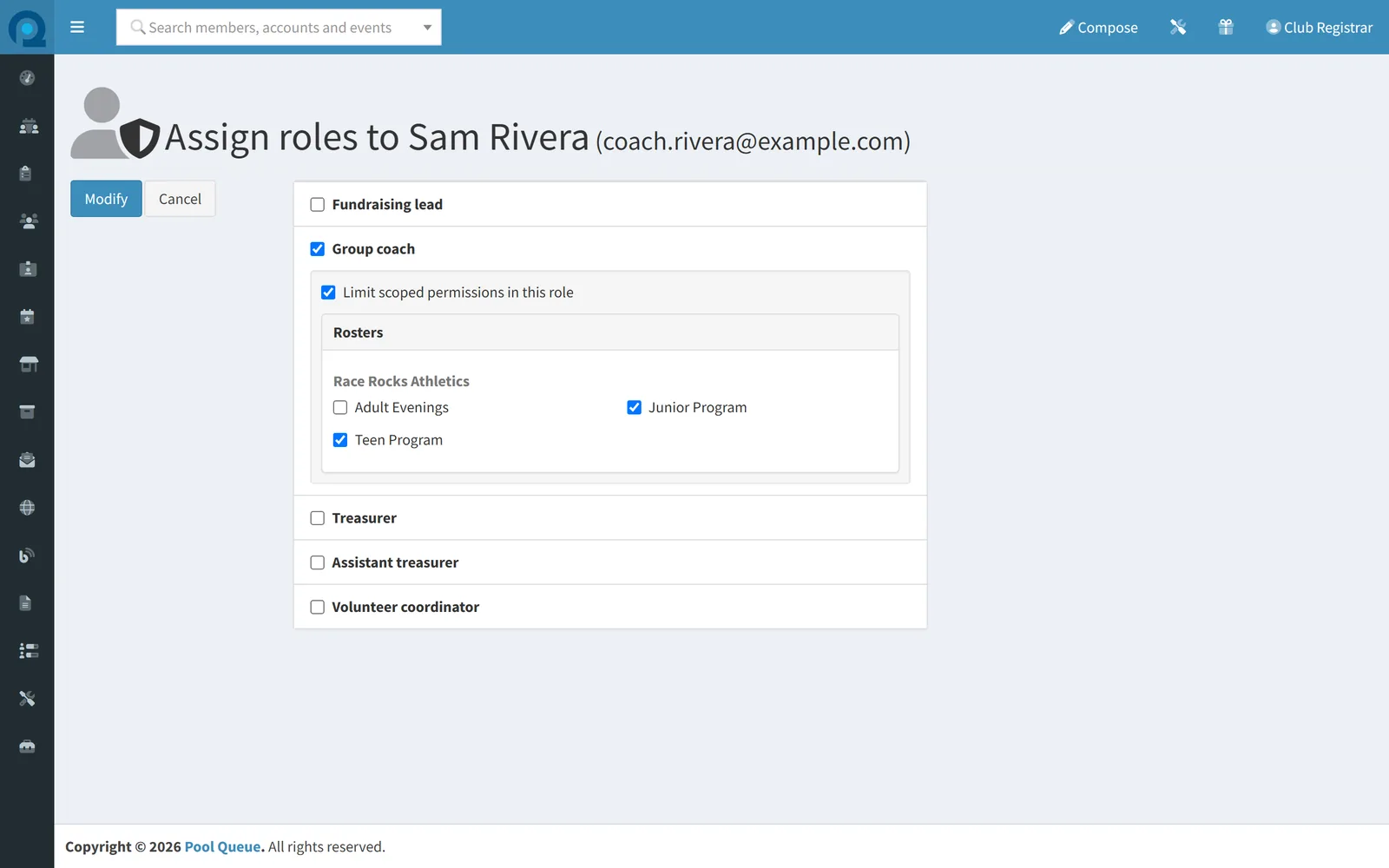
Sam joins as a coach. His role is limited to his two groups for registrations, the schedule, and which rosters and groups he emails.
- No access yet
- The Group coach role
- Limited to his groups
- Junior Program and Teen Program
Season end. The AGM
A volunteer steps down
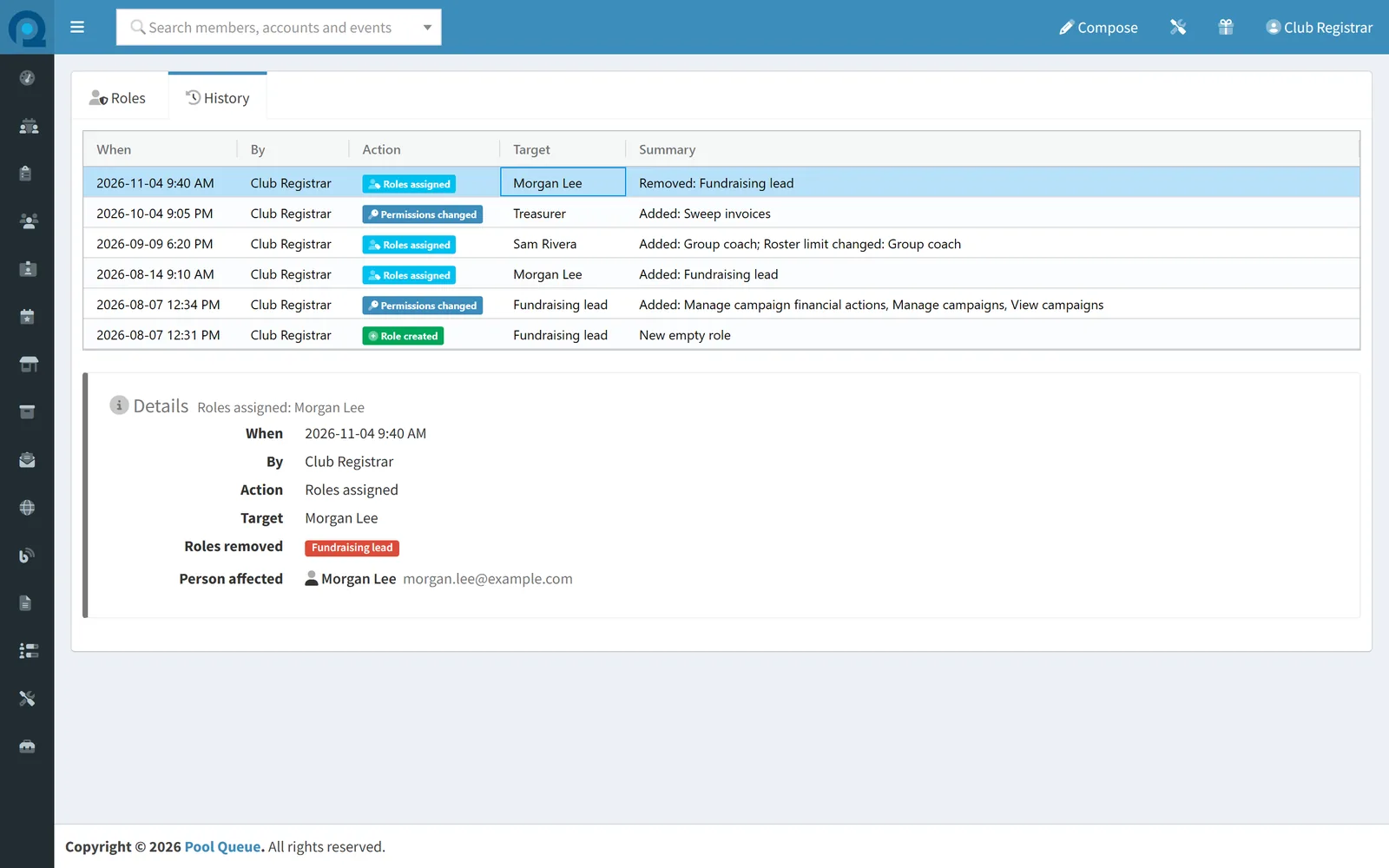
Morgan hands over the fundraiser. The role comes off, and the history keeps who made the change and when.
- The season's role changes
- Who, what, and when
Real Pool Queue screens of an example club.
Riskier permissions stand out
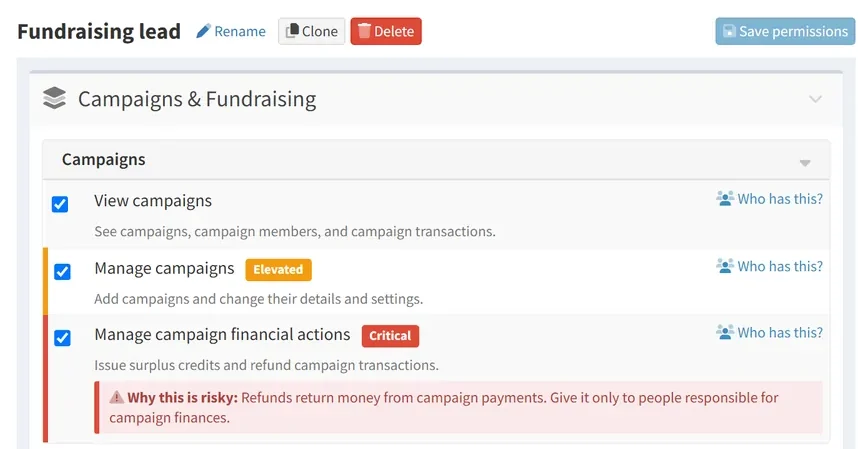
Your club builds its own roles from plain-language permissions, and a person can hold several. Riskier permissions are clearly marked, and the riskiest carry a note on why.
- Elevated Riskier permissions are marked, so they stand out as you build a role.
- Critical The riskiest, such as refunds, are marked in red.
- Why this is risky Each of the riskiest carries a plain-language note on why.
A password alone is not enough to get in
Your club can require two-factor sign-in for chosen roles, such as everyone who handles money or member records. People in those roles enter a code from an authenticator app as well as their password before they reach the admin pages.
Clear answers about access
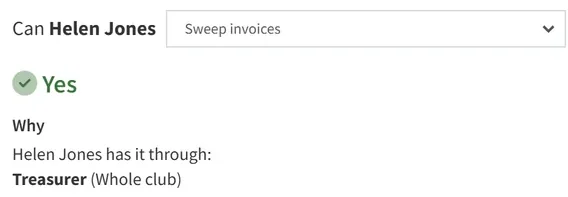
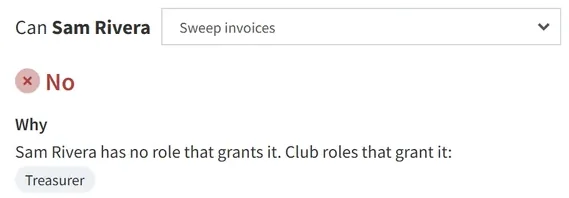
Ask whether someone can charge invoices to cards on file. Pool Queue says yes or no and names the role behind it.
Established security practices, built in
To control what your club's staff and volunteers can do, Pool Queue uses the practices large organizations rely on for their own employees. Each card below names one and says what it means for your club.
Deny by default
Staff start with no access and get only what they are given. When access cannot be confirmed, the answer is no.
Enforced server-side
Permissions and roster limits are enforced by Pool Queue's servers, not just hidden on the screen.
No self-elevation
Only System Administrators give out roles, and none can change their own. Another administrator has to.
Data isolation by club
Your club's roles, people, and role history are kept apart from every other club's.
Audit trail for role changes
Who changed which role, and when, is kept in a history your club can search and export.
Centralized and regression-tested
Access rules are defined once and backed by automated tests that look for workarounds.
Questions
Do we have to fit our club into fixed roles?
No. Your club builds its own roles around the jobs people do, and a person can hold more than one.
What happens when a board member or volunteer steps down?
Once their role is removed, the change takes effect within minutes, with no sign-out needed. It is kept in the history, and your System Administrators get an email about it.
Can the board get a list of who has access?
Yes. Access reports show who holds which roles and who can use the riskier permissions, ready to export for a board meeting.
Can coaches be limited to their own groups?
Yes, for registrations, the schedule, and which rosters and groups they email. The rest of a coach's role covers the whole club, so you decide what goes in it.
Next step
Your club holds the keys
You decide what each role unlocks. Pool Queue enforces your decisions.
Online software; setup, training, and support are done remotely.